
Top 7 Free AI Video Generators (No Watermark) in 2026 (Android & PC)
Finding an AI video generator free no watermark option that actually works in daily content production is harder than it sounds. Many tools advertise “free AI video,” but limits often appear in export quality, credits, templates, or branding rules.
This guide is built for creators, affiliate publishers, and small businesses that want a practical 2026 shortlist. We tested each tool against the same framework: free-tier value, watermark behavior, output quality, speed, and beginner usability across Android and desktop workflows.

Quick Comparison: Which Tool Should You Start With?
If you need one quick recommendation: start with CapCut for fast mobile execution or Canva for simple team workflows. Move to Runway or Luma Dream Machine when your quality bar and editing complexity increase.
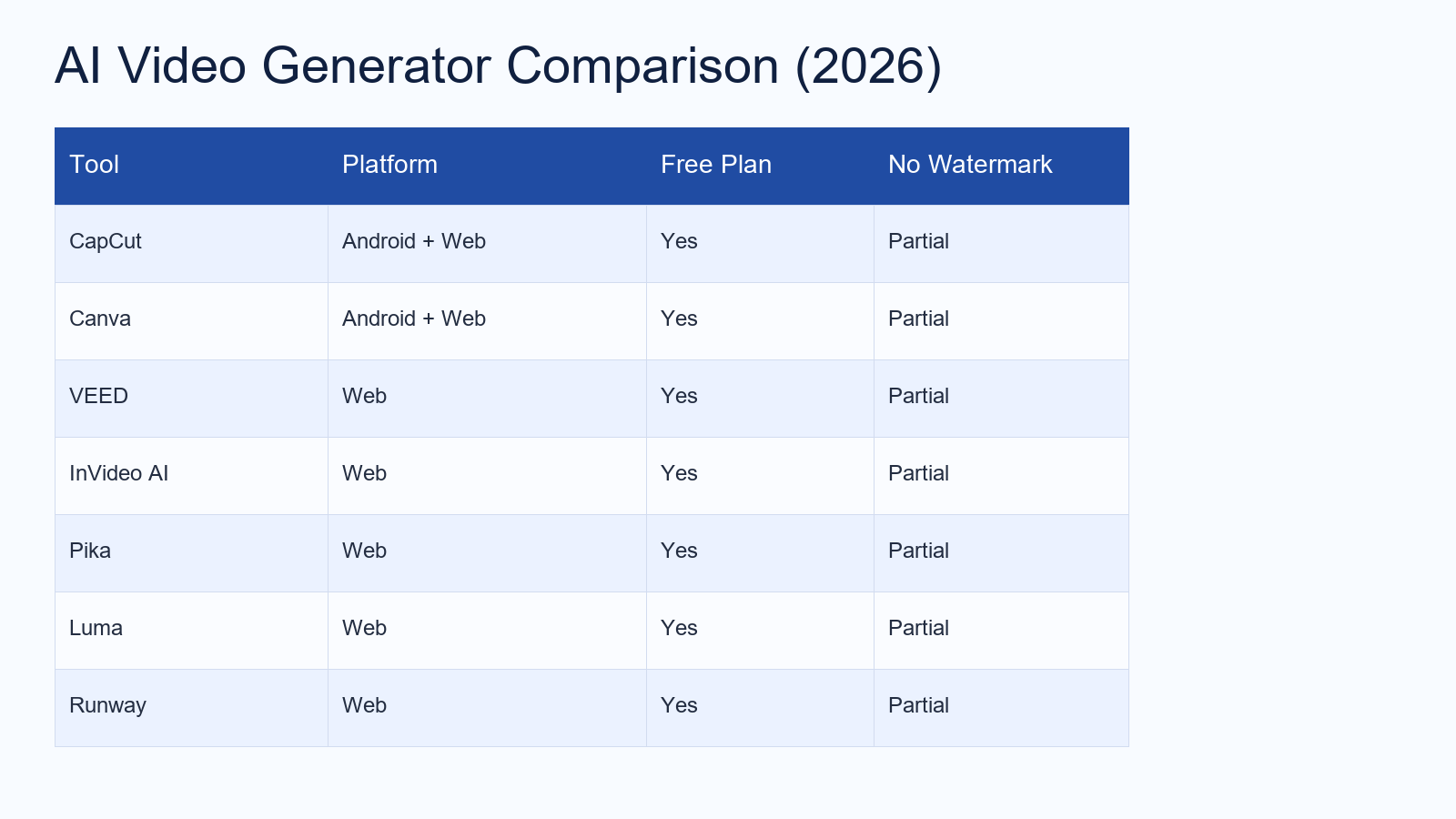
- Best for Android speed: CapCut
- Best for non-designers: Canva
- Best for subtitle-heavy explainers: VEED
- Best for script-to-video drafting: InVideo AI
- Best for creative experimentation: Pika
- Best cinematic outputs: Luma Dream Machine
- Best advanced creator stack: Runway
How We Evaluated These AI Video Generators
To keep this comparison useful, we used the same scoring logic for every tool:
- Free plan utility: Can you publish meaningful content before upgrading?
- No-watermark practicality: Is clean export possible in realistic scenarios?
- Output quality: Motion, sharpness, consistency, and social readiness.
- Speed: Time from idea to first usable draft.
- Workflow friction: How much manual cleanup is required?
Important note: free-tier terms can change anytime. Always verify current limits before scaling your publishing workflow.
1) CapCut — Best Free AI Video Generator for Android Creators

Why it ranks high: CapCut is one of the fastest paths from concept to publish-ready short video, especially for creators posting daily to Shorts, Reels, or TikTok.
Pros:
- Strong mobile editing flow with minimal learning curve
- Large template and effect ecosystem for short-form formats
- Good speed for draft generation and quick revisions
Cons:
- Some advanced assets and exports are tied to paid plans
- Template selection matters if you want fully clean brand output
Best for: Solopreneurs and creators who need volume and speed first.
2) Canva — Best Beginner-Friendly AI Video Tool

Canva is ideal when content systems matter more than cinematic complexity. For businesses making social promos, listicle clips, and educational visuals, Canva reduces friction fast.
Pros:
- Clean drag-and-drop interface
- Easy collaboration and brand-kit management
- Fast turnaround for repeatable social formats
Cons:
- Advanced motion control is limited versus specialized tools
- Some premium media elements are paywalled
Best for: Marketing teams and beginner creators building a repeatable weekly pipeline.
3) VEED — Best for Subtitles and Explainer Videos

VEED performs well in explainer-style content where captions, timeline edits, and quick voice/video alignment are the priority.
Pros:
- Efficient subtitle and text overlay workflows
- Suitable for tutorial and educational formats
- Web-first interface keeps collaboration simple
Cons:
- Free-tier restrictions can affect longer projects
- Not always the best fit for highly stylized cinematic edits
Best for: SaaS explainers, educational channels, and voiceover-based guides.
4) InVideo AI — Best for Script-to-Video Drafting

InVideo AI shines when your bottleneck is ideation-to-draft speed. You provide a concept, and the platform builds an initial structure you can refine.
Pros:
- Strong for turning outlines into video drafts
- Good for testing multiple content angles quickly
- Useful for affiliate and product-led content workflows
Cons:
- Outputs often require manual polishing to feel unique
- Credit limits can constrain heavy experimentation
Best for: Content marketers producing test variants at scale.
5) Pika — Best for Creative Prompt Experiments

Pika is better positioned as a creative lab than a full production suite. It is great for concept shots, hooks, and visually novel short clips.
Pros:
- Fast creative generation from short prompts
- Useful for hook testing and visual brainstorming
- Good complement to an existing editing stack
Cons:
- Output consistency can vary by prompt quality
- Often needs post-editing before final publish
Best for: Creators optimizing hooks and unusual visual concepts.
6) Luma Dream Machine — Best for High-End Visual Quality

If visual fidelity is your first priority, Luma Dream Machine is usually among the strongest options in this list.
Pros:
- High-quality cinematic look and motion style
- Strong candidate for premium social creatives
- Excellent for high-impact hero clips
Cons:
- Free quotas can run out quickly during testing
- Rendering time may vary under heavy demand
Best for: Brand-forward creators who prioritize visual polish.
7) Runway — Best Advanced All-in-One Creator Stack

Runway is often the best next step when entry-level tools become limiting. It combines generation and editing depth for creators building serious production systems.
Pros:
- Powerful toolkit for generation + post-processing
- Flexible enough for pro-level experimentation
- Useful in structured content pipelines
Cons:
- Learning curve is higher than beginner-first tools
- Credit and workflow planning are important for efficiency
Best for: Intermediate and advanced creators scaling weekly output.
How to Export AI Videos Without Watermarks (Practical 2-Step Method)


- Validate settings first: Double-check preset, asset licensing, and export mode before full rendering.
- Run a short test clip: Export 5–10 seconds, verify no branding artifacts, then render the final version.
Best Choice by Use Case
- Fast daily posting (mobile): CapCut
- Simple team production: Canva
- Educational explainers: VEED
- Script-driven drafts: InVideo AI
- Creative hook testing: Pika
- Premium cinematic look: Luma Dream Machine
- Advanced production stack: Runway
FAQ
Is there a truly unlimited free AI video generator with no watermark?
Usually no. Most platforms impose limits via credits, duration, quality settings, or asset restrictions.
Which tool should beginners use first?
CapCut (mobile-first) or Canva (workflow-first) are typically the easiest starting points.
Can this article strategy rank for long-tail SEO?
Yes, especially when updated regularly with current tool policies, version changes, and fresh comparisons.
Conclusion
If your goal is speed and consistency, start with CapCut or Canva. If your goal is cinematic output and deeper control, graduate to Runway and Luma. The winning strategy in 2026 is not “one perfect tool,” but a workflow stack that matches your content volume, quality target, and publishing cadence.
